
What Is an HMI? Human Machine Interface Explained

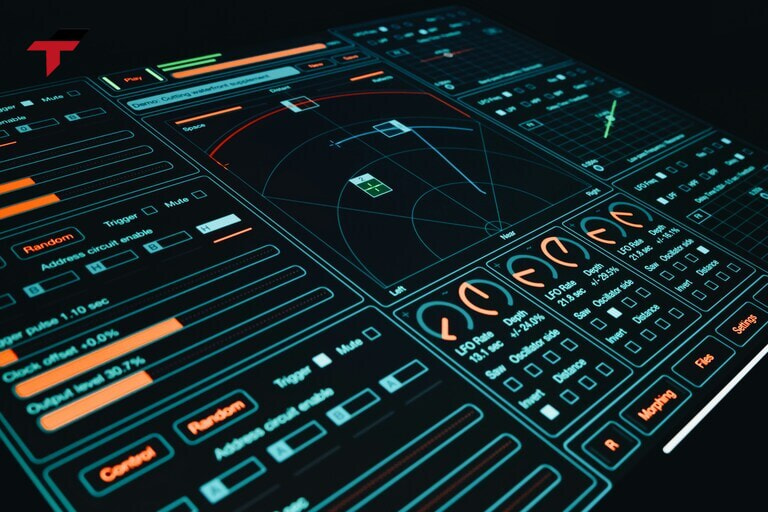
A Human-Machine Interface (HMI) is a touchscreen panel or display device that connects an operator to an automated production system – showing live sensor readings, machine states, alarm conditions, and production data, while allowing operators to send commands directly to connected Programmable Logic Controllers (PLCs). HMI is the visual layer of industrial automation: the PLC executes control logic in milliseconds; the HMI makes that logic visible, interpretable, and actionable by a human operator without requiring access to the PLC programming environment.
In Malaysian manufacturing – from rubber glove lines in Selangor to semiconductor equipment in Penang and palm oil mills across the peninsula – HMI panels are the primary interface between machine operators and automated production systems. This article covers what HMI means, how HMI panels communicate with PLCs, the principal hardware types, the difference between HMI and SCADA, and how to select the right HMI panel for your application in Malaysia.
What Is an HMI?
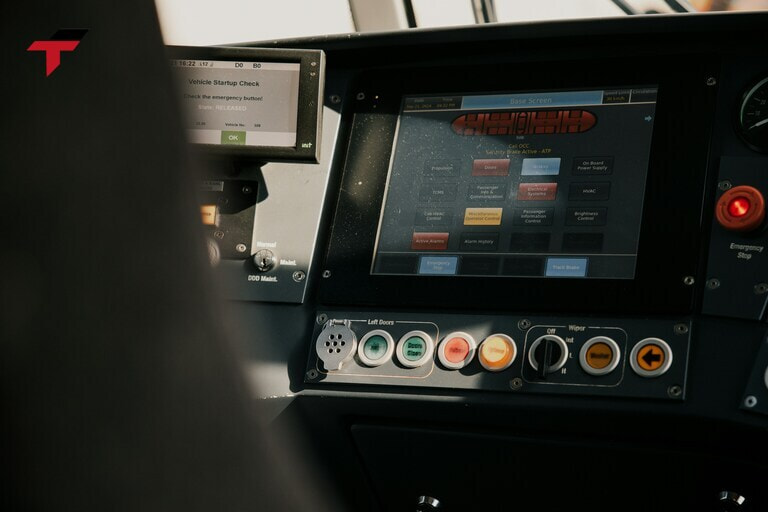
In industrial automation, a Human-Machine Interface is a dedicated hardware device – typically a ruggedised touchscreen panel – designed to display process data from a control system and accept operator commands in return. HMI meaning in the industrial context is specific: it refers not to any screen that shows data, but to a panel purpose-built for real-time interaction with PLCs, sensors, and automation controllers in factory environments.
The term “human machine interface” (also written human-machine interface or HMI) encompasses both the physical hardware and the software running on it. The hardware is the panel itself – sealed against dust, moisture, and vibration. The software is the graphical application configured by a controls engineer to display the data and controls relevant to a specific machine or line section.
HMIs range from compact 4.3-inch panels mounted on single machines to 21.5-inch displays managing entire production cells. What they share is a common function: translate raw PLC data – tag values, counter states, analog readings – into operator-readable graphics, and translate operator inputs back into PLC commands.
The distinction from a general-purpose screen matters in procurement: an industrial HMI is rated for continuous operation, wide temperature ranges, and electrical noise environments that would fail a commercial tablet or monitor within months.
What Is an HMI?
How an HMI Works: Connecting Operator to Machine
At the machine interface level, an HMI operates by establishing a continuous data exchange with one or more connected PLCs through an industrial communication protocol.
Communication: The HMI reads PLC memory addresses – called tags or data registers – at a configured polling rate. A temperature controller output, a conveyor speed register, a fault bit – each maps to a tag that the HMI displays as a numeric value, indicator, or graph element. Common protocols used in Malaysian factories include Modbus RTU (RS485), Modbus TCP (Ethernet), Mitsubishi MC Protocol, Omron FINS, and Siemens S7 Protocol.
Display: The HMI software renders a configured screen – called a page or project – showing the current tag values. Operators see live data: tank levels, motor run states, batch temperatures, and alarm lists, updated continuously as the PLC scan cycle runs.
Control: When an operator presses a button on the HMI screen, the HMI writes a value to the corresponding PLC register. The PLC reads that register on its next scan and executes the associated logic – starting a pump, advancing a conveyor, acknowledging an alarm. The HMI does not directly energise any field device; all control passes through the PLC.
This architecture keeps safety and control logic in the PLC – where it runs deterministically – while the HMI handles only visualisation and operator input. If the HMI loses communication with the PLC, the PLC continues executing its control program uninterrupted.
Key Functions of an HMI Panel
An HMI panel in a production environment serves six primary functions, each directly reducing the operational burden on floor-level operators.
The core functions of an industrial HMI are:
- Real-Time Monitoring: Displays live process variables – temperatures, pressures, flow rates, motor speeds, counter values – sourced directly from PLC tags. Operators see system state without walking the floor or connecting diagnostic tools.
- Equipment Control: Provides operator-accessible buttons, switches, and input fields that write values to PLC registers. Start/stop commands, setpoint adjustments, and mode selections are executed through the HMI screen rather than physical panel switches.
- Alarm Management: Displays active alarms sourced from PLC fault bits, with timestamp, priority level, and status (acknowledged/unacknowledged). Alarm history logs give maintenance teams a record of fault events for root-cause analysis.
- Data Visualisation: Renders process data as trend graphs, bar charts, and overview diagrams. A mixing tank display shows current temperature, setpoint, and a time-trend graph – more useful to an operator than a raw register value.
- Historical Data (Local): Higher-specification HMI panels log tag values to internal memory or an SD card, providing short-term process history for quality review and maintenance. Unlike SCADA, local HMI storage is limited in volume and duration.
- Recipe and Parameter Management: Stores multiple production recipes – predefined sets of process parameters – allowing operators to switch products by selecting a recipe name rather than manually re-entering each setpoint.
Types of HMI Panels
Across industrial automation deployments, HMI hardware divides into five types based on connectivity, computing capability, and display configuration.
| Type | Display | Connectivity | Typical Application |
| Touch Panel HMI | Integrated LCD | RS485, Ethernet | Single machine, packaging line, conveyor |
| IoT HMI | Integrated LCD | Wi-Fi, 4G/5G, Ethernet | Remote sites, smart factory, unmanned stations |
| Web HMI | Accessed via browser | Ethernet (HTML5) | Multi-site monitoring, BYOD access |
| Headless HMI | None (remote only) | Ethernet (VNC/Web) | Embedded panels, space-constrained enclosures |
| Industrial PC (IPC) | Integrated or external | Full OS (Windows/Linux) | SCADA client, MES terminal, central control room |
Touch Panel HMIs are the standard for machine-level control in Malaysian factories. A ruggedised LCD – typically 7″ to 15.6″ – with either resistive or capacitive touch, communicates with the PLC via RS485 or Ethernet. These panels are purpose-designed, not general-purpose computers: the operating system is embedded, the project runs automatically on power-up, and the hardware is sealed for industrial environments.
IoT HMIs add wireless connectivity (Wi-Fi, 4G/5G) and cloud data upload capability to the standard touch panel feature set. Operators monitor and control machines remotely via mobile browsers or dedicated apps. Used in Malaysian water treatment facilities and palm oil mills where substations are geographically distributed.
Web HMIs serve as browser-accessible interfaces. The panel hosts an HTML5 application; operators connect from any device on the local network without installing client software. Useful in facilities where multiple supervisors need read access across different devices.
Headless HMIs have no built-in display – all interaction occurs through a connected external monitor, VNC session, or web browser. Used where panel space is minimal and local interaction is infrequent.
Industrial PCs run full Windows or Linux operating systems and can host HMI software, SCADA clients, MES interfaces, and data historian applications simultaneously. Used at facility-level control stations and central control rooms.
Touch type matters in Malaysian factory conditions: resistive touch (pressure-activated) works with gloves and in wet or greasy environments – critical on glove production lines and food processing plants. Capacitive touch (proximity-activated) is faster and supports multi-touch but requires bare hands on a clean screen. Projected capacitive (PCAP) is the high-end option, supporting thin-glove operation in some configurations.

Types of HMI Panels
HMI vs SCADA: What’s the Difference
From an automation architecture standpoint, HMI and SCADA serve different scopes within the same control hierarchy – a distinction that matters when specifying a system.
An HMI controls and monitors one machine or one section of a production line. It communicates directly with that machine’s PLC, displays relevant data, and accepts operator commands. It does not collect data from machines on other lines, does not store large data volumes, and does not send reports to management systems. Its scope is local – the panel physically located near the machine it monitors.
A SCADA (Supervisory Control and Data Acquisition) system manages an entire facility or multiple facilities. It polls data from tens or hundreds of PLCs across the plant, stores process history in a database server, generates production and compliance reports, sends alarm notifications to email and SMS, and presents a facility-wide operational view from a central control room. A water utility might run one SCADA system collecting data from pump stations across an entire city.
The relationship between HMI and SCADA in practice covers these key dimensions:
| Dimension | HMI | SCADA |
| Scope | One machine / one line section | Entire plant / multiple sites |
| Data storage | Limited (local SD / RAM) | Database server (unlimited) |
| Reporting | None | Shift reports, compliance logs |
| Cost | RM 500–RM 15,000 (panel hardware) | RM 20,000–RM 200,000+ (software + servers) |
| Typical user | Machine operator | Plant manager, SCADA engineer |
In most Malaysian SME manufacturing facilities, HMI panels at each machine communicate upward to a SCADA server in the control room. The HMI is not replaced by SCADA – both exist in the same facility, serving different roles. The HMI is how the machine operator works; SCADA is how the plant manager sees the whole picture.
HMI and PLC: How They Connect
Within an automation panel, the HMI and PLC work as a pair – neither replaces the other, and their connection is what enables real-time operator interaction with machine logic.
The PLC executes control logic – reading sensors, running programs, activating outputs. The HMI reads PLC registers, displays their values, and writes operator inputs back to PLC registers. This bidirectional data exchange runs continuously through a wired or network communication link.
Wired connection (RS485 / RS232): Standard serial protocols. RS485 supports cable runs up to 1,200 m (3,937 ft / 1.2 km) (vs. RS232’s 15 m (49 ft)), making it suitable for machine-level HMI connections where the panel is located away from the main control cabinet. Modbus RTU over RS485 is the most widely supported protocol in Malaysian factory installations.
Network connection (Ethernet): Faster polling rates and multiple simultaneous connections. One PLC can communicate with multiple HMI panels on the same Ethernet network. Most mid-range and high-end HMI panels support Ethernet alongside serial connections. Mitsubishi MC Protocol, Omron FINS/TCP, and Siemens S7 Ethernet run natively on compatible hardware.
For system integrators working with the PLC brands described in our [Programmable Logic Controller guide](/what-is-a-plc/), the HMI selection must confirm driver support for the specific PLC model – not just the brand family. A [PLC supplier in Malaysia](/product-category/plc/) can confirm compatibility before the panel is specified.
Summary: HMI in the Automation Stack
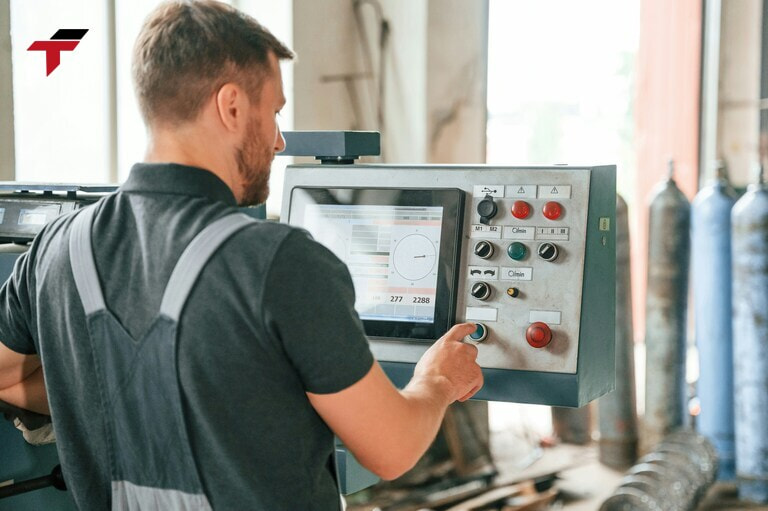
An HMI is the operator-facing layer of a machine control system – it displays PLC data in human-readable form and translates operator inputs back into PLC commands. HMI and SCADA are not alternatives; SCADA aggregates facility-wide data, while HMI panels give operators local machine control. The HMI communicates with the PLC through industrial protocols (Modbus, Ethernet/IP, proprietary brand protocols) and does not directly control any field device.
Summary: HMI in the Automation Stack
Where HMIs Are Used in Malaysian Manufacturing
In the Malaysian manufacturing context, HMI panels are deployed wherever a human operator needs to interact with an automated machine – which, in practice, means nearly every production line in the country’s major industrial sectors.
Rubber and Glove Manufacturing (Selangor, Negeri Sembilan)
Glove production lines use HMIs to display dipping conveyor speed, latex temperature profiles, stripping mechanism status, and line throughput counts. Operators monitor dozens of process variables per line on a single panel without leaving the aisle. Resistive touch panels are standard here – operators frequently wear gloves or have wet hands in dipping sections.
Semiconductor and Electronics (Penang, Kulim Hi-Tech Park)
Semiconductor equipment requires HMIs with high-resolution displays for process parameter monitoring, cleanroom-rated enclosures, and Ethernet connectivity to facility SCADA systems. Omron and Siemens PLCs common in this sector connect to HMIs via Ethernet using native brand protocols.
Food and Beverage (Halal-Certified Lines)
Halal F&B facilities use HMIs to display batch parameters – temperature, time, ingredient weight – that must be logged for regulatory traceability. HMI recipe management allows production staff to switch between product formulations by selecting a pre-configured recipe rather than manually re-entering setpoints for each run.
Palm Oil Processing
Steriliser stations, centrifuge lines, and effluent treatment plants use HMIs connected to PLCs managing pressure cycles and temperature regulation. IoT HMI panels are increasingly specified for remote substation monitoring across large mill estates, transmitting process data to a central control room via 4G.
Water Treatment and Utilities
Municipal and industrial water facilities across Malaysia use HMIs at pump stations and dosing points – often running unattended with remote HMI access enabled. Operators in a central control room monitor distributed pump stations through SCADA, while local HMI panels at each station allow site technicians to make adjustments during maintenance visits.
How to Choose an HMI in Malaysia
For procurement and engineering teams in Malaysia, choosing the right HMI involves five selection criteria applied in sequence.
- PLC Compatibility – Confirm Driver Support First
The HMI must support the communication protocol of the connected PLC. Verify brand and model-level compatibility – not just generic Modbus support. A panel supporting Modbus RTU may not support the proprietary register-access protocol used by a specific Mitsubishi or Omron model. Confirm the driver list with the HMI supplier before purchase.
- Screen Size and Environment
Screen size should match the complexity of the display and the physical space available. Common screen sizes and their typical applications are:
| Screen Size | Typical Use |
| 4.3″ – 7″ | Single-machine monitor, compact panels, auxiliary displays |
| 10.1″ – 12.1″ | Standard machine control: conveyor, mixer, pump station |
| 15.6″ – 21.5″ | Complex systems: multi-zone lines, central control stations |
Touch type selection: resistive for wet, oily, or glove-required environments; capacitive for clean, dry environments; PCAP for multi-touch and high-end aesthetics.
- Communication Ports
Confirm the required port combination: RS485 for serial PLC connections, Ethernet for network connections, USB for project upload. Reserve at least one spare port for future device additions. Higher-specification panels add Wi-Fi or 4G for remote access.
- Software and Programming Environment
HMI configuration software must be compatible with the integrator’s existing skillset and capable of the required function set – alarms, trends, recipes, user access levels. Panels from the same brand as the PLC often share a unified programming environment; cross-brand installations require separate HMI software.
- Industrial Rating and Certification
For Malaysian factory conditions: front panel IP65 minimum (dust-tight, water jet-resistant) for any open-floor installation. Wide operating temperature range (-10°C to 60°C / 14°F to 140°F) for installations near heat sources such as ovens, boilers, or motor control centres. CE and RoHS certification are standard for panels supplied into Malaysian industrial facilities.
How to Choose an HMI in Malaysia
HMI Brands Available in Malaysia
Among the HMI brands stocked in Malaysia, two are carried by Flextech Industrial for direct local supply with local warranty coverage.
Delta Electronics – DOP-B / DOP-100 Series
Delta HMI panels are among the most widely deployed in Malaysian F&B, packaging, and water treatment applications. The DOP-B and DOP-100 series support Modbus RTU/TCP, Delta PLC protocols, and third-party brand drivers including Mitsubishi, Omron, Siemens, and Panasonic. Screen sizes range from 4.3″ to 15.6″. DOPSoft and DOPSoft 2 provide the configuration environment, with free licence for all panel models.
Xinje – TG / TP Series
Xinje HMI panels are a cost-effective option for budget-sensitive machine control applications. TG and TP series support Modbus RTU, Xinje PLC native protocols, and a range of third-party drivers. Suitable for compact panel installations in packaging, conveyor, and auxiliary machine control.
Both brands connect directly to the PLC range stocked at Flextech – including Mitsubishi FX series, Omron CP series, Panasonic FP series, and Siemens S7-1200. For compatibility confirmation and quotation, contact.
Frequently Asked Questions
What does HMI stand for and what does it mean?
HMI stands for Human-Machine Interface. In industrial automation, HMI meaning refers to a dedicated panel or display device that shows live machine data from a PLC and allows operators to send control commands back to the machine – without connecting to the PLC programming environment directly.
What is the difference between an HMI and a PLC?
A PLC (Programmable Logic Controller) executes control logic – it reads sensors, runs programs, and activates outputs. An HMI displays the PLC’s data on a screen and allows operators to interact with it. The PLC is the machine’s brain; the HMI is the machine’s face. Both are required for a complete, operator-accessible automation system.
What is the difference between HMI and SCADA?
An HMI panel controls and monitors one machine or one line section locally. SCADA manages an entire facility – collecting data from multiple PLCs, storing it in a database, and generating reports. HMIs are typically part of a SCADA system: the HMI is the local operator panel; SCADA is the facility-level oversight layer above it.
What touch type should I specify for a Malaysian factory?
For F&B processing, glove manufacturing, and any wet or oily environment – specify resistive touch. Operators in these environments wear gloves or have contaminated hands that capacitive screens cannot detect. For electronics assembly, semiconductor, and office-adjacent control rooms – capacitive or PCAP panels are appropriate.