
How to Choose an HMI: Selection Guide for Industrial Applications in Malaysia

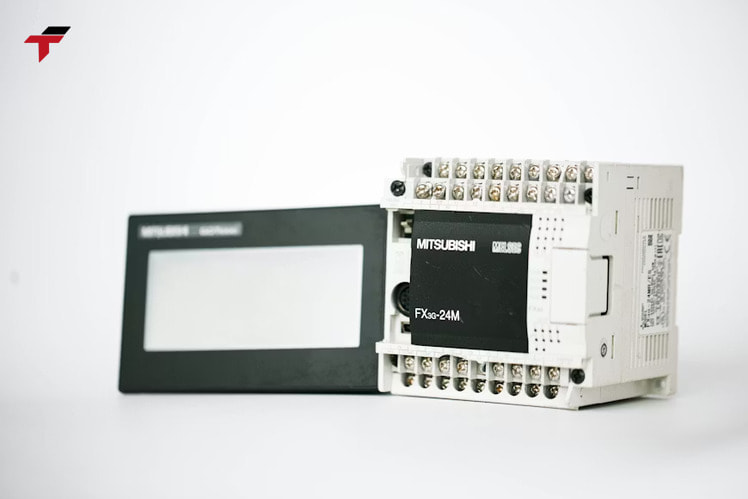
HMI selection in Malaysian manufacturing is shaped by two factors that global selection guides rarely address: the installed PLC brand already running on the production floor, and the environmental conditions specific to the industry – gloved operators in F&B and rubber production, high-humidity washdown zones in palm oil mills, and particle-controlled clean rooms in Penang semiconductor fabs. The right HMI for a Mitsubishi FX5U installation in a Selangor food factory differs significantly from the right HMI for a Siemens S7-1500 line in a Johor automotive plant, even when the display size and I/O count requirements are identical. This guide covers the primary HMI selection criteria – PLC compatibility, display specifications, touchscreen type, communication protocols, software environment, IP ratings, and total cost – with a decision framework and checklist structured for Malaysian industrial buyers.
HMI selection in Malaysian manufacturing: two decision paths
HMI selection in Malaysian manufacturing follows one of two decision paths: brand-constrained, where the existing PLC installation determines the HMI platform, or open-specification, where the engineering team selects hardware on a criteria-by-criteria basis. The distinction matters because each path changes which selection criteria rank highest.
In a brand-constrained installation – the more common scenario in Malaysia, where factories typically run a single PLC brand across multiple machine sections – native brand pairing eliminates driver configuration, simplifies software licensing, and ensures seamless data exchange between the PLC and HMI. A Mitsubishi-equipped facility selecting a Mitsubishi GT series HMI gains a pre-configured communication link with no driver setup, unified GX Works3 and GT Designer software, and a single-vendor support contact. Selecting a third-party HMI for the same installation introduces driver configuration, potential protocol limitations, and a split support chain.
In an open-specification installation – typical for new greenfield projects or machines without a legacy PLC standard – selection proceeds through the full criteria set: driver coverage, display specs, touchscreen type, certifications, software environment, and cost. Both paths converge on the same technical requirements; the difference is the order in which criteria eliminate options.
HMI-PLC compatibility and driver support
HMI-PLC compatibility determines whether the panel communicates with the controller natively or through a third-party driver – a distinction that affects commissioning time, communication reliability, and long-term support availability.
Native brand pairing for Malaysian PLC installations
The four PLC brands with the strongest installed base in Malaysian manufacturing each have a native HMI platform:
- Mitsubishi Electric – GT series HMIs (GOT2000 family: GT27, GT25, GT23) communicate natively with FX and iQ-R PLCs via dedicated station protocols; GX Works3 and GT Designer share the same engineering environment
- Omron – NS and NB series HMIs connect natively to CP and NX PLCs; CX-Designer is the programming environment for NS series; Sysmac Studio supports NB and NX platforms together
- Siemens – SIMATIC TP and KTP panels integrate with S7-1200 and S7-1500 PLCs through TIA Portal WinCC Basic and Comfort; panel configuration shares the same project file as the PLC programme
- Panasonic – GT series HMIs pair natively with FP series PLCs; GT Designer software is included with the hardware at no additional licence cost
Facilities already standardised on any of these PLC brands carry a clear advantage when selecting the matched HMI platform: no driver sourcing, no protocol translation layer, and a single-brand support chain.
Third-party driver support for mixed installations
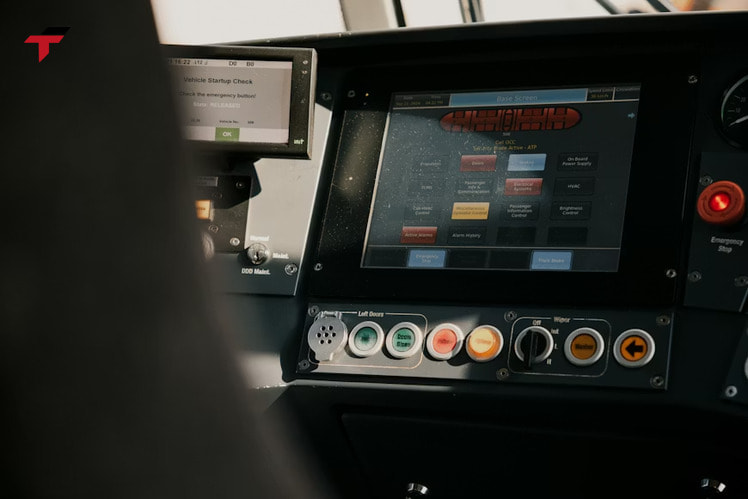
When the HMI brand does not match the PLC brand – common in facilities with multiple machine sections from different OEM suppliers – driver support becomes the primary compatibility check. Confirm with the HMI manufacturer that a certified driver exists for the specific PLC model and firmware version in use. Generic protocol support (Modbus RTU, Modbus TCP, EtherNet/IP) provides broad compatibility but requires manual configuration and may not support all PLC data types natively. Delta and Xinje HMIs carry native Modbus RTU and Modbus TCP support alongside dedicated drivers for the major PLC brands, making them functional choices for mixed-brand installations where the facility’s existing PLC base uses Modbus as the common protocol. For cross-brand pairing in Malaysian plants, visit the HMI Malaysia product range for compatible panel options.
Third-party driver support for mixed installations
Display size, resolution, and brightness for industrial environments
Display size, resolution, and brightness for industrial environments determine operator usability under the actual viewing conditions of the installation – panel cutout constraints, ambient light levels, and the complexity of the interface being displayed.
Screen sizes for industrial HMIs range from 4 inches (102 mm) for compact single-machine operator panels to 21 inches (533 mm) for line-overview stations. The 7-inch (178 mm) and 10-inch (254 mm) formats represent the most common industrial specifications in Malaysian manufacturing – 7-inch panels fit standard DIN enclosures with room for I/O terminals; 10-inch panels accommodate more complex multi-screen interfaces without requiring a dedicated operator console cabinet.
Resolution determines how much information the panel displays clearly on a given screen size. WVGA (800×480 pixels) is the standard resolution for 7-inch and smaller panels, adequate for basic process visualisation with limited on-screen objects. WXGA (1280×800 pixels) and higher resolutions suit 10-inch and larger panels where trending graphs, alarm tables, and multi-variable dashboards display simultaneously.
Brightness measured in nits governs readability in high-ambient-light environments. Standard industrial panels produce 250–450 nits – sufficient for indoor factory installations with controlled lighting. Installations near large factory windows, outdoor pump stations, or high-bay facilities with skylights require panels rated 700 nits (0.7 kcd/m²) or above; high-brightness units typically specify 1,000 nits (1.0 kcd/m²) or more for direct-sunlight readability.
Touchscreen input type: resistive, capacitive, and PCAP
Touchscreen input type in industrial HMIs is determined by the glove use and contamination conditions of the operating environment – a selection criterion that eliminates one or more touchscreen technologies before any other spec comparison begins.
Resistive touchscreens for gloved operator environments
Resistive touchscreens detect pressure rather than electrical capacitance, registering input from any object that applies sufficient force – bare fingers, gloved hands, or a stylus. This physical input mechanism makes resistive panels the correct choice for Malaysian food and beverage production, rubber and glove manufacturing, and palm oil processing, where operators routinely work with gloves, wet hands, or protective equipment that breaks the skin contact required for capacitive detection.
Resistive panels accept stylus input for precision entry, and the pressure-activated surface performs reliably in environments with liquids, oils, and fine particulates that accumulate on the screen surface. The limitation is single-touch only – multi-gesture interaction is not available on resistive technology.
Capacitive and PCAP touchscreens for clean environments
Capacitive touchscreens require contact with a conductive surface (bare skin) and do not respond to gloved input unless the glove material is thin and conductive. Projected capacitive (PCAP) panels extend this to thin gloves and multi-touch gestures, offering sharper display clarity and higher input sensitivity than standard capacitive.
PCAP panels are the correct specification for Malaysian semiconductor fabrication and electronics assembly, where operators work with bare hands in controlled environments and the higher display clarity suits fine-detail inspection interfaces. The clean room environment also eliminates the contamination and liquid exposure that limits capacitive performance in heavier industrial settings.
Communication ports and protocol support
Communication ports and protocol support determine which devices the HMI connects to and at what data transfer rate – a specification that maps directly to the field devices, PLCs, and network infrastructure already in the facility.
Serial and Ethernet ports
Serial and Ethernet ports cover the two primary connection types in Malaysian manufacturing: RS-232 and RS-485 for legacy PLC and field device communication, and Ethernet for modern network-connected systems. RS-485 serial ports remain the standard connection for legacy PLCs and devices where Modbus RTU over RS-485 is the dominant field device protocol, where Modbus RTU over RS-485 is the dominant field device protocol. RS-485 supports multi-drop networks of up to 32 devices on a single bus, with transmission distances up to 1,200 m (3,937 ft) before signal conditioning is required. RS-232 is point-to-point only with a practical transmission distance of 15 m (50 ft); confirm that the installation’s cable run fits within this limit before specifying RS-232 as the PLC connection port.
Ethernet (RJ-45, 100 Mbps or 1 Gbps) is the standard for modern PLC connections and SCADA integration. Two independent Ethernet ports allow the HMI to maintain simultaneous connections on a production network (PLC communication) and a facility network (SCADA, historian, remote access) without traffic mixing between segments.
IIoT protocols
OPC/UA and MQTT extend HMI connectivity beyond direct PLC communication to SCADA systems, cloud historians, and enterprise data platforms. OPC/UA is the standard protocol for industrial data exchange in SCADA-connected environments; MQTT is used where low-bandwidth or cellular network connections require a lightweight message format. Facilities planning IIoT integration alongside conventional PLC communication benefit from confirming both protocol sets are supported by the HMI platform before purchase.
Communication ports and protocol support
Programming software and engineering environment
Programming software and engineering environment determine how quickly an engineer configures, commissions, and modifies the HMI project – and whether that cost involves a separate software licence purchase or is bundled with the hardware.
Software licence structure varies significantly across HMI brands. Mitsubishi GT Designer, Panasonic GT Designer, Delta DOPSoft, and Xinje TouchWin are bundled with hardware at no additional cost. Siemens TIA Portal WinCC requires a tiered licence (Basic, Comfort, Advanced) where the panel hardware determines the minimum licence level needed. Omron CX-Designer and Sysmac Studio carry per-seat licence fees, a factor worth calculating for project teams managing multiple engineer workstations.
Key software features to verify before committing to a platform include:
- Alarms and event logging – configurable alarm triggers, historical event tables, and notification outputs; the required feature set for most manufacturing applications
- Data logging and trending – on-board data storage with configurable sampling rates; essential for process monitoring and quality tracking applications
- Recipe management – parameter set storage and recall for production changeover; standard in F&B, pharmaceutical, and batch manufacturing installations
- Offline simulation – project testing without connected hardware; reduces commissioning time and allows interface validation before panel delivery
- Remote monitoring – VNC or proprietary remote access for multi-site visibility without physical travel to each panel
Performance: CPU, RAM, and processing load
Performance specifications – CPU architecture, clock speed, and RAM capacity – determine whether the HMI handles the project’s screen count, tag count, and data logging requirements without lag or processing bottlenecks at peak production load.
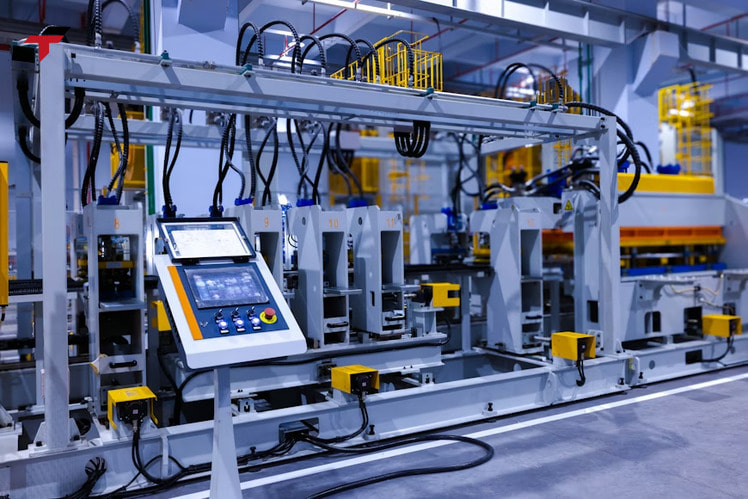
ARM Cortex-A processors (600 MHz–1.2 GHz range) power the majority of standard industrial HMI panels and handle typical manufacturing interfaces: 20–50 screens, 500–2,000 tags, basic trending, and alarm logging without performance issues. x86 processors (Intel Atom or equivalent) suit panels running SCADA-level applications, SQL database connections, or Windows-based operating systems where multi-application processing is required.
RAM capacity affects how much project data the processor holds in active memory. 256 MB supports standard HMI projects comfortably; 512 MB and above suits data-intensive applications with large tag databases, high-frequency data logging, or complex graphics libraries. Processing load from data logging transfers, communication polling cycles, and custom script execution compounds against the base project load – evaluate peak load (multiple simultaneous data log writes + active PLC communication + operator input) rather than average load when sizing processing capacity.
Summary: hardware specification criteria for HMI selection
The six hardware criteria covered so far – PLC compatibility, display specification, touchscreen type, communication ports, software environment, and processing performance – form the technical specification baseline. Each criterion narrows the viable platform list before cost and certifications enter the evaluation. A 7-inch resistive panel with RS-485 and Ethernet ports, bundled software, 800×480 resolution, and ARM Cortex-A processing covers the specification requirements of the majority of standard machine control applications in Malaysian SME manufacturing. Applications with IIoT connectivity, large screen formats, or SCADA integration requirements move up the specification tier accordingly.
Performance: CPU, RAM, and processing load
Environmental ratings and IP certification by Malaysian industry segment
Environmental ratings and IP certification for HMI panels are mandatory specifications in Malaysian manufacturing, where factory environments range from dry semiconductor clean rooms to high-humidity, high-pressure washdown zones in food processing and rubber production.
The IEC 60529 Ingress Protection (IP) rating system defines a panel’s resistance to solid particle ingress (first digit) and liquid ingress (second digit). The relevant IP ratings for Malaysian industry segments are listed below:
| Industry Segment | Minimum IP Rating | Rationale |
| Semiconductor fabrication | IP54 | Controlled environment; dust and incidental liquid splash protection |
| Electronics assembly | IP54–IP65 | Clean assembly with occasional cleaning agents |
| Food & Beverage | IP65 | Regular washdown with hoses; dust-tight enclosure required |
| Packaging | IP65 | Dust, lubricants, and periodic cleaning |
| Rubber & Glove Manufacturing | IP65–IP67 | Chemical exposure, high-pressure wash cycles |
| Palm Oil Processing | IP67 | High-humidity, high-pressure steam cleaning environments |
| Automotive Assembly | IP54–IP65 | Metal particulates, coolant splash |
The operating temperature range covers another Malaysian environmental factor: factory ambient temperatures of 30°C–38°C (86°F–100°F) are standard; enclosed electrical cabinets without active cooling reach 45°C–55°C (113°F–131°F) during peak production. Confirm that the panel’s rated operating temperature extends to at least 50°C (122°F) for cabinet-mounted installations without forced air cooling.
ATEX certification is required for installations in areas where flammable gases or vapours are present – relevant for Malaysian chemical processing, oil and gas, and solvent-handling facilities. UL and CE certification cover North American and European safety requirements respectively; most panels sold in Malaysia carry CE as a minimum.
Remote access and cybersecurity features
Remote access and cybersecurity features in an HMI determine whether plant engineers monitor and troubleshoot production without travelling to site, and whether the connected panel creates a network security exposure that extends beyond the local machine.
VNC (Virtual Network Computing) is the standard remote access protocol supported across most industrial HMI brands, allowing a connected PC or mobile device to mirror the panel display and interact with it as if present at the machine. Proprietary remote access platforms (Mitsubishi MX Component, Omron CX-Server, Siemens TIA Portal Remote) add additional features such as programme download, tag monitoring, and diagnostic data access beyond basic screen mirroring.
User access level configuration prevents unauthorised interaction with production parameters or safety-critical settings. A three-tier access structure – operator (process monitoring only), engineer (parameter adjustment), administrator (full configuration access) – covers the security requirements of most Malaysian manufacturing facilities without complex IT-level identity management.
Encryption for remote connections uses TLS or SSL to secure data transmission; confirm the supported encryption version if the HMI connects via a public internet path rather than a VPN-secured private network. Facilities with multiple remote panels across sites benefit from centralised remote monitoring platforms rather than individual VNC connections per panel.

Remote access and cybersecurity features
HMI cost ranges for Malaysian buyers
HMI cost ranges for Malaysian buyers reflect the combined hardware cost, software licence structure, and total engineering cost per panel – a figure that varies significantly across the entry, mid-range, and premium tiers available in the Malaysian market.
Entry-level panels – typically 4-inch to 7-inch (102 mm to 178 mm) displays from cost-effective brands such as Delta and Xinje – represent the lowest acquisition cost with bundled programming software and Modbus-native communication. These panels suit standalone machine applications with limited screen count and no IIoT connectivity requirements. The engineering cost per panel at this tier is also lower: simpler software environments and pre-built Modbus drivers reduce configuration time.
Mid-range panels from Mitsubishi, Omron, and Panasonic carry higher unit costs offset by deeper PLC integration, richer software feature sets, and longer product lifecycle support. The total project cost at this tier is competitive when native PLC pairing eliminates driver configuration and the shared engineering environment reduces software licencing overhead.
Premium panels from Siemens (SIMATIC TP Comfort, TP Unified) and Allen-Bradley (PanelView 5500) sit at the highest unit cost, with TIA Portal and FactoryTalk software licencing adding further to project cost. The economic case for premium panels applies specifically to large-scale installations with complex SCADA integration, where the unified engineering environment across PLC, HMI, drives, and network configuration reduces total engineering hours on the system as a whole.
For entry-level to mid-range HMI panels with local Malaysian stock and support, the HMI Malaysia product range at Flextech covers Delta and Xinje platforms. For PLC-HMI system sourcing, the PLC Malaysia category covers the matched PLC platforms.
HMI selection checklist: criteria to confirm before purchase
HMI selection criteria for Malaysian industrial applications include eight items that confirm technical compatibility, environmental suitability, and project feasibility before a purchase order is placed:
- PLC compatibility confirmed – driver exists for the specific PLC model and firmware version; native brand pairing verified or third-party driver sourced
- Display size fits panel cutout – physical dimensions measured; lip clearance confirmed for flush-mount enclosure installation
- Touchscreen type matches operator environment – resistive for gloved/wet conditions; PCAP for clean-room or bare-hand operation
- Communication ports cover all field devices – RS-485 for legacy Modbus devices; Ethernet port count matches network segmentation requirement
- IP rating meets industry segment minimum – F&B IP65; semiconductor IP54; rubber/palm oil IP67; operating temperature rated to ≥50°C (122°F) for cabinet installations
- Software licence cost calculated – bundled (Delta, Xinje, Mitsubishi GT Designer, Panasonic GT Designer) vs per-seat licence (Siemens TIA Portal, Omron Sysmac Studio) factored into project budget
- Processing capacity covers peak project load – screen count, tag database size, data logging frequency, and communication poll rate evaluated at simultaneous peak load
- Local stock and lead time confirmed – specific model and firmware version in stock with the distributor; import lead time (4–12 weeks / 28–84 days) confirmed for items not locally held

HMI selection checklist: criteria to confirm before purchase
FAQ: choosing an HMI for industrial applications
How do I select the right HMI for my application?
Start with PLC compatibility: identify the PLC brand and model already installed, then confirm whether a native HMI platform or a third-party driver-supported panel is available. Then check the environmental IP rating for the installation location, the touchscreen type for the operator’s typical hand condition, and the display size for the available panel cutout.
What makes a good HMI for Malaysian factory environments?
A good HMI for Malaysian manufacturing combines the correct IP rating for the industry segment (IP65 as a baseline for most non-clean-room environments), a touchscreen type suited to gloved or bare-hand operation, native or driver-certified PLC communication, and software bundled at no additional licence cost. Local distributor stock for the specific model series is an additional practical requirement that global specifications do not capture.
What are the four stages of HMI functionality?
The four functional stages are: data input (operator commands and parameter entry), data processing (logic execution and tag management within the HMI), information display (visualisation of PLC data, alarms, and trends on screen), and user interaction (access control, alarm acknowledgement, and recipe selection). Each stage places different demands on the panel’s processing capability and software feature set.
Is a separate HMI necessary if the PLC already has a built-in display?
Built-in PLC displays (Mitsubishi FX5U built-in display, Siemens S7-1200 with Basic Panel) handle basic parameter monitoring and limited alarm display. A separate HMI panel is the correct choice when the application requires multiple display screens, recipe management, data trending, remote access, or a display larger than 4 inches (102 mm) – which covers the majority of production machine applications beyond simple single-axis or single-loop control.