
PLC, HMI and SCADA: How the Three Layers Work Together

PLC, HMI and SCADA are the three control layers of an industrial automation system: the Programmable Logic Controller (PLC) runs machine logic in real time, the Human-Machine Interface (HMI) shows that machine’s status to an operator at the panel, and Supervisory Control and Data Acquisition (SCADA) software collects data from many PLCs for plant-wide monitoring and history. In a palm oil mill, a glove-dipping line, or a semiconductor assembly plant in Penang, the three layers share the same data points and are joined by a serial or Ethernet link.
This guide covers what each layer does, how data moves between them, how each is programmed, which cable joins a PLC to an HMI, how a DCS compares, and when an HMI with a built-in PLC replaces two devices.
What Do the PLC, HMI, and SCADA Layers Each Do?
In control-architecture terms, a PLC executes machine logic, an HMI shows and adjusts its data at the machine, and SCADA supervises many PLCs centrally. Each layer has a separate scope, and a PLC SCADA hierarchy only works when the roles stay separate.
The Programmable Logic Controller (PLC) is a ruggedized control computer that reads inputs from sensors and switches, runs its stored program, and switches outputs such as motors, valves, and lamps. It withstands heat, electrical noise, and vibration on the factory floor, and it has no native user interface of its own. The hardware detail sits in the guide to the programmable logic controller, and Flextech stocks the range under PLC Malaysia.
A Human-Machine Interface (HMI) is the operator-facing touchscreen or panel that reads and writes PLC data, so an operator can watch machine status, change a setpoint, and acknowledge an alarm. The human machine interface in PLC systems is an extension layer for user interaction: the HMI holds the screens and buttons, while the control logic stays in the PLC program. Panel types and touch technology are covered in the human machine interface guide.
SCADA (Supervisory Control and Data Acquisition) is the software-and-hardware layer that gathers data from many PLCs and remote terminal units (RTUs), displays it on plant-wide screens, raises alarms, and stores time-stamped history in a data historian database. The role of RTUs in that layer is explained in the SCADA system guide.
The following table compares the three layers by form, scope, and job.
| Layer | Typical form | Scope | Main job | Data kept |
| PLC | Panel-mounted or DIN-rail controller | One machine or process cell | Real-time control logic | Operating values only |
| HMI | Touch panel or panel PC | One machine or cell | Display and operator input | Live values for display |
| SCADA | Software on a PC or server plus network hardware | A line, a plant, or several sites | Supervision, alarms, reporting | Historical data in a database |
Because the three layers exchange data constantly, the next question is what actually travels between them.
How Does Data Move Between the PLC, HMI, and SCADA?
Data moves upward from the PLC to the HMI and SCADA as tag values, and commands move downward as tag writes. A tag is a named data point mapped to a PLC memory address, such as a tank level, a motor run status, or a temperature setpoint. HMI software reads and writes those tags, and SCADA software collects the same tags from every connected PLC.
The path from field to supervisory screen follows five steps in fixed order.
- Field devices report.Sensors and switches wire into the PLC’s input modules.
- The PLC executes.The controller reads inputs, runs its logic, and writes outputs on every scan.
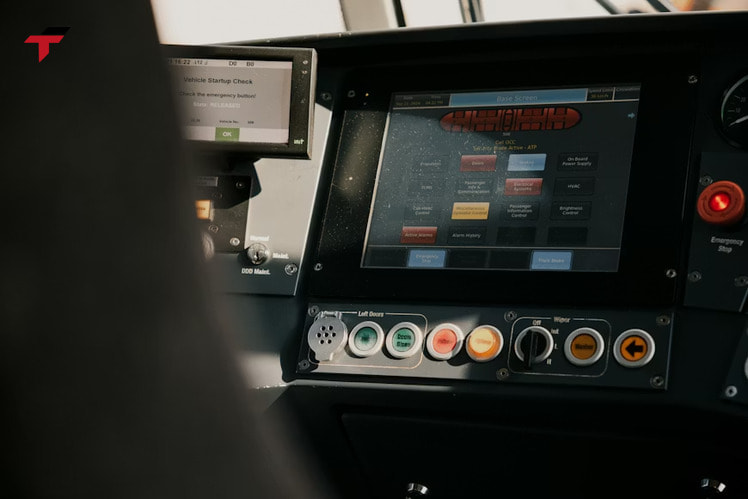
- The HMI displays.The panel reads mapped tags over the HMI PLC link and shows values, trends, and alarms to the local operator.
- SCADA collects.The supervisory software gathers tags from many PLCs and RTUs, and logs them in the historian.
- Commands return.An operator command entered on the HMI or SCADA screen writes to a designated PLC tag, and the PLC checks it against its interlocks and machine mode before acting on it.
Ownership follows a simple rule: the PLC owns the value, and the screens only present or edit it. A setpoint such as a fill level lives in PLC memory, the HMI shows and edits it for the local operator, and SCADA records every change for plant-wide review. Alarms follow the same split: the PLC detects the fault condition, the HMI tells the operator at the machine, and SCADA logs the event for maintenance and reporting. Because the value lives in one place, changing an HMI screen never changes the control logic. A failed HMI screen leaves a properly designed PLC running the program stored in it, although the operator loses status, setpoint, and alarm access. Emergency stops and interlocks are built as physical safety circuits, and an HMI emergency-stop graphic does not replace them.
That single-owner rule also shapes how the layers differ, which is the point most readers search first.
How Does Data Move Between the PLC, HMI, and SCADA?
PLC vs SCADA: What Is the Difference?
The difference between PLC and SCADA is that a PLC is a hardware controller that acts on machines, while SCADA is a supervisory software system that informs people about many machines. The PLC takes the action, keeping the machine running correctly and safely as conditions change. SCADA handles the information: it gives operators the data to decide and track efficiency over time.
| Feature | PLC | SCADA |
| Component type | Physical hardware | Software system with supporting hardware |
| Primary task | Executing real-time machine logic | Monitoring and data logging |
| User interface | None natively; needs an HMI or programming software | Graphical operator screens |
| Data storage | Very limited, operating values only | Large historical database |
| Scope | One machine or asset | Many PLCs, often across sites |
In any PLC SCADA installation the boundary blurs in one place. Some engineers treat the PLC as a component inside the wider SCADA system, because SCADA data originates in PLCs and RTUs. A factory can run on PLCs alone, but operators then lose production trends, alarm history, and remote visibility. SCADA never replaces the controller; it sits on top of it.
Knowing the roles is half the work, since each layer also has its own way of being programmed.
PLC Programming for HMI and SCADA: One Tag List, Three Projects
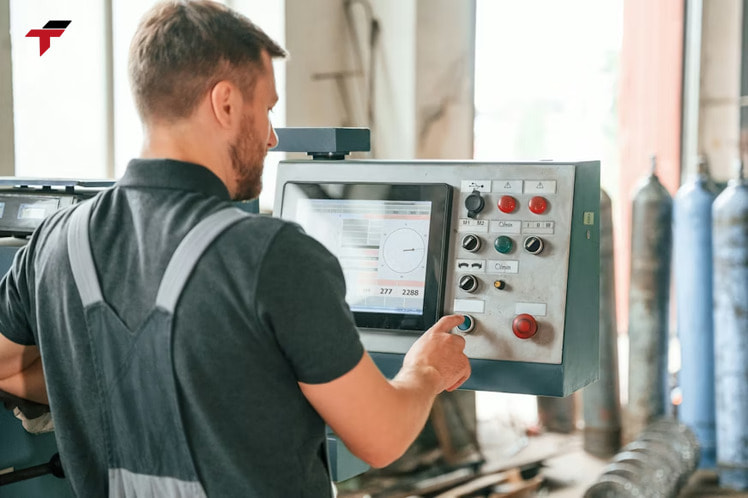
PLC programming for an HMI and SCADA layer means three separate projects that share one tag list: the PLC program, the HMI screen project, and the SCADA application. The PLC program holds the control logic, written in the programming languages covered in PLC programming basics, such as ladder logic. The HMI project is built in a screen editor and stores its own screens and communication settings, never the PLC program, and the SCADA application is built in a supervisory platform.
Each vendor pairs its own tools. Siemens uses WinCC for HMI screens, Allen-Bradley uses FactoryTalk View, and Schneider Electric uses Vijeo Designer or Citect, while SCADA platforms include iFIX, Wonderware, and Ignition. These are usually separate software packages that need separate purchases.
The tag list is where the projects meet. Buying the PLC and HMI from one manufacturer does not guarantee that the PLC tag database appears in the HMI: some vendors offer drag-and-drop tag import, but most need an export and import step, and others need every tag recreated from scratch. Planning the tag list once, with consistent names, keeps the SCADA PLC programming, the HMI screens, and the PLC logic aligned.
The tag list also decides how the layers connect physically, which brings up the cable.
PLC Programming for HMI and SCADA: One Tag List, Three Projects
Which Cable Connects a PLC to an HMI?
A PLC to HMI communication cable is a serial cable (RS-232 or RS-485) or an Ethernet cable, chosen by the communication ports fitted to both devices. An HMI to PLC cable joins the two ports directly and forms the HMI PLC link, and the link carries a protocol such as Modbus RTU, a brand-specific serial protocol like the Mitsubishi FX protocol, or an Ethernet protocol. Industrial serial cables use shielding to reduce interference in electrically noisy plants, and several manufacturers sell brand-matched cables, such as a Delta PLC-to-HMI cable.
A wired link also needs matching settings on both sides. In the PLC and HMI programming software, engineers set the communication parameters, including baud rate, parity, and data bits, so both devices speak the same protocol. For Ethernet links, each device also needs an IP address on the same network. A separate programming cable, such as a USB or USB-to-RS-232 cable, connects a PC to the HMI to download its screens, so an HMI often uses two different cables. The Modbus RTU guide covers the serial protocol most HMI panels support.
Four checks resolve most HMI communication errors, and they are listed here in the order to run them:
- PLC driver.The HMI project must select the driver that matches the PLC brand and model.
- COM port.The HMI project must use the same physical port the cable plugs into.
- Cable wiring.The cable must match the port’s electrical interface, RS-232 or RS-485.
- Communication parameters.Baud rate, parity, and data bits must be identical on the PLC and the HMI.
Mixed-brand pairings work when the HMI software includes a driver for the PLC, so a pre-purchase check covers the supported protocol, the available ports, the cable and connector type, the PLC tag addresses, and the two programming software packages. Flextech’s HMI Malaysia range covers Delta and Xinje panels. One vendor family shows the whole workflow end to end, so the next section follows Siemens.
Siemens PLC HMI: How TIA Portal Connects an S7 PLC to a Panel
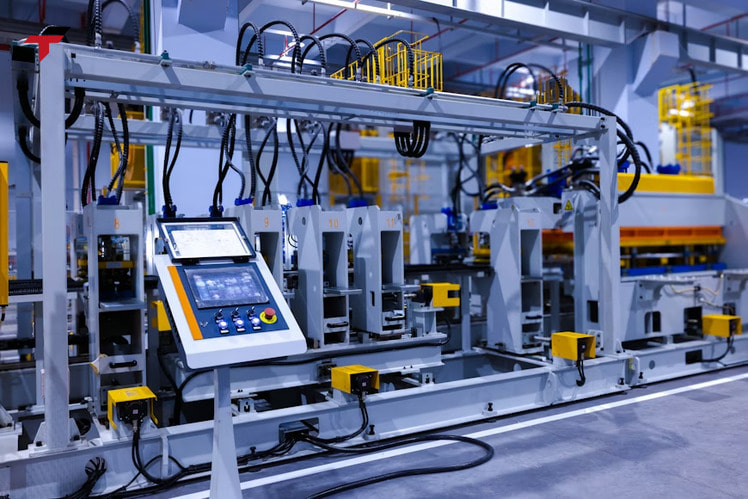
A Siemens PLC HMI pairing is configured inside one engineering environment, TIA Portal, where SIMATIC HMI panels and the S7 PLC belong to the same project. The visualization software is WinCC (TIA Portal), and the panels communicate over Industrial Ethernet and fieldbus options.
The connection follows a consistent pattern in TIA Portal. In the Devices and networks view, the engineer adds the PLC and the HMI panel, creates a PROFINET network, assigns the HMI to that network, and adds a connection with an IP address. Once the connection is valid, the HMI project can browse the PLC tags directly. This shared-project approach reduces the tag export step described earlier for mixed vendors.
Siemens groups its panels by task complexity. Basic Panels handle simple applications, Comfort Panels handle complex visualization and offer IP65-protected variants, and PC-based systems cover centralized solutions. For controller specifics, see the Siemens PLC guide. Flextech lists Siemens S7-1200 and S7-1500 PLCs, while its HMI range is Delta and Xinje.
Siemens PLC HMI: How TIA Portal Connects an S7 PLC to a Panel
Recap: How the Three Layers Connect So Far
So far, this guide has covered how the PLC, HMI, and SCADA layers divide the work: the PLC runs machine logic, the HMI displays and adjusts tag values, and SCADA collects and stores data from many controllers. Data moves as tags upward and as writes downward, and the PLC owns every value. The layers are programmed in three projects sharing one tag list and joined by a serial or Ethernet cable with matching drivers and parameters. The sections below turn to two architecture choices: combining the HMI and PLC in one unit, and comparing PLC-based control with a DCS.
HMI With Built-In PLC: When One Unit Replaces Two
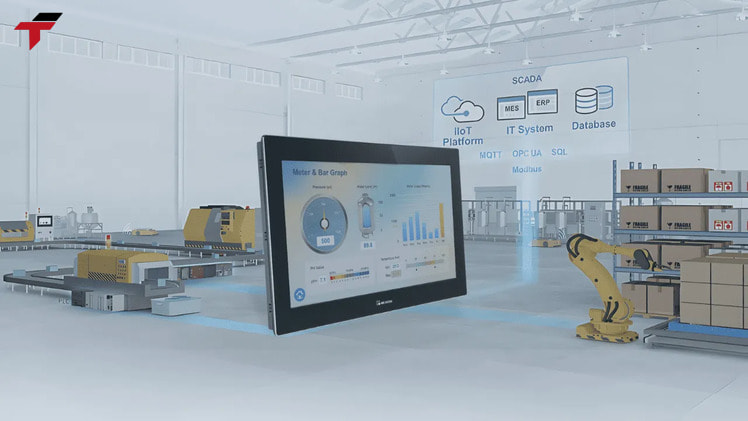
An HMI with built-in PLC is a compact control unit that combines a touchscreen and a programmable logic controller in one housing, so a single device shows the machine and runs its logic. The design cuts wiring, panel space, and system cost, and commissioning gets shorter because one unit holds both the screens and the logic.
These units suit compact machinery, skid systems, and decentralized control. Typical examples use one software suite for both screens and logic, expand through pluggable I/O modules or cartridges, and offer serial and Ethernet ports. IDEC’s FT-series units, for instance, pair a dual-CPU design with Modbus TCP and RTU, Ethernet/IP, and MQTT support, and operate up to 55°C (131°F/328K). These are industry examples, not part of Flextech’s current range.
Combined units have a ceiling. A machine that outgrows the unit’s I/O expansion, or a plant that needs SCADA supervision across many machines, moves to a separate PLC, and modular PLCs become the preferred choice above 512 I/O points. The built-in PLC still reports upward, since combined units connect to SCADA over the same Modbus and Ethernet links. A separate architecture question comes from process industries, where a DCS enters the comparison.
HMI With Built-In PLC: When One Unit Replaces Two
PLC vs DCS vs SCADA: Where Does a DCS Fit?
A Distributed Control System (DCS), the second industrial control system architecture in this comparison, differs from a PLC-plus-SCADA architecture mainly because a DCS ships with an integrated operator interface and tag database, while a PLC-plus-SCADA setup assembles the same functions from separate products. In a DCS, the operator interface software and tag database come together; in a SCADA system, the software is purchased separately and the tags are built or imported.
| Criterion | PLC + SCADA | DCS |
| Operator software and tag database | Purchased and configured separately | Integrated |
| Processing time | Slightly faster, an advantage for time-sensitive processes | Somewhat slower |
| Safety | Achievable with safety processors | Traditional advantage |
| Communications | Open, varied protocols | Some proprietary protocols |
Plant type decides the choice more than the technology gap. A DCS suits continuous process control in industries such as petrochemical and utilities, while PLCs are the better fit for discrete manufacturing: more flexible than relay panels and more cost-effective than a DCS for the F&B, glove, and packaging plants typical of Malaysian SME manufacturers. The differences between the two families have narrowed, so plant scale is the deciding factor, covered next.
Matching the Architecture to Plant Scale
Plant scale decides how many of the three layers a site needs. A single machine needs a PLC and an HMI; a multi-machine line adds SCADA; a multi-site operation adds SCADA with RTUs.
| Plant scale | Layers used | Typical setup |
| Single machine, such as a filling or packaging unit | PLC and HMI, or an HMI with built-in PLC | Panel-mounted HMI on the machine |
| Production line with several machines | Several PLCs, HMI panels, and SCADA | SCADA on a PC or server collecting from each PLC |
| Multiple buildings or remote sites | PLCs, RTUs, and SCADA | SCADA supervising local and remote controllers |
Machine type also matters at the bottom of the scale. Together, a PLC and HMI fit packaging, conveying, filling and labelling, semiconductor equipment, and water treatment, while a fixed, small process with little operator interaction can run on a PLC alone. The HMI’s value rises with the count of machine states, settings, alarms, and products.
A factory that upgrades one line at a time can start with PLC and HMI and add SCADA later, because the tag list from the first project carries over. Planning tag names from the start avoids rework at that step.
Matching the Architecture to Plant Scale
Sourcing PLC and HMI Hardware in Malaysia
Sourcing PLC and HMI hardware in Malaysia through Flextech covers PLCs from Mitsubishi, Omron, Siemens, Panasonic, Allen-Bradley, Xinje, and Autonics, alongside Delta and Xinje HMI panels. Flextech is not an authorized distributor for any brand it carries; parts are sourced directly from manufacturers and reputable international agents, with local warranty coverage on items sourced internationally. Local stock matters as much as brand, since import lead times run 4-12 weeks.
Engineers and system integrators matching a PLC to an HMI can send the model pair through request quotation for a compatibility check on ports and drivers.
Frequently Asked Questions About PLC, HMI, and SCADA
These frequently asked questions cover the layer-relationship points that system integrators and maintenance engineers raise once the roles, data path, and cable of a PLC, HMI, and SCADA system are clear.
Can SCADA Replace a PLC?
SCADA cannot replace a PLC, because SCADA does not handle low-level machine control. The PLC reads inputs and drives outputs on the spot, while SCADA gathers, organizes, and displays the resulting information.
Which HMI Brand Works With Which PLC?
An HMI works with any PLC brand whose driver its software includes, so matching brands is optional. A same-brand pair often shares an engineering environment, as with Siemens TIA Portal, but tag import still varies by vendor.
Is an HMI Part of SCADA?
An HMI is a component of SCADA and also operates as a standalone panel. SCADA systems use HMI software as their operator screen, while a standalone HMI panel serves a single machine without the data historian.
When Does a Small Machine Need SCADA?
A small machine needs SCADA only when it reports to a wider system; a PLC and HMI otherwise cover control and local operation. SCADA earns its place when production data, alarm history, or remote visibility across several machines becomes a requirement.