
What Is SCADA? Architecture, RTU, and Where It Fits in a Plant

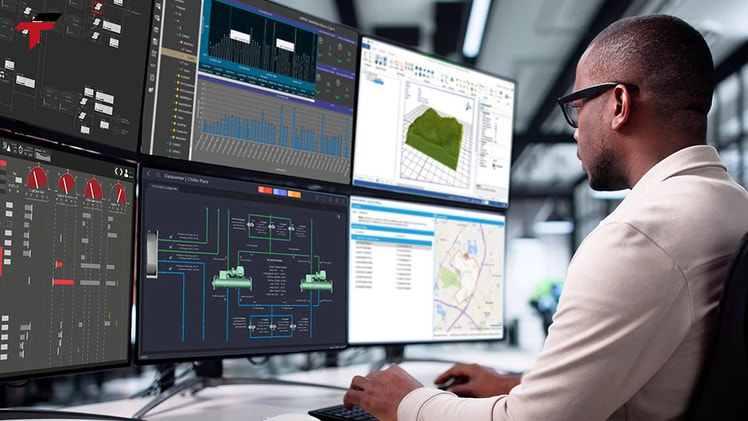
SCADA (Supervisory Control and Data Acquisition) is a control system architecture — combined software and hardware — that lets engineers monitor and control industrial processes across a plant, or across several sites, from one central supervisory layer. Getting the SCADA scope wrong runs in two directions: under-specify it and a distributed site loses visibility between locations; over-specify it and a team pays for plant-wide supervision over a process a single PLC already controls on its own. SCADA sits above the remote terminal units (RTUs) and programmable logic controllers (PLCs) that handle real-time control at the field level — it supervises them, it does not replace them. That distinction matters for any system integrator or maintenance team in Malaysia specifying a control stack for a distributed utility asset, a multi-line factory, or a single automated machine.
This guide covers the SCADA architecture layer by layer, the role of the RTU specifically, the core components every SCADA system shares, common SCADA software platforms, and where SCADA sits relative to the PLC and HMI hardware most Malaysian plants already run.
SCADA Meaning and Definition
SCADA meaning: SCADA stands for Supervisory Control and Data Acquisition — a control system architecture that combines software and hardware to let organizations monitor and control plant-floor equipment and processes, often across multiple sites, from a centralized supervisory layer. The “supervisory” part of the name is the key distinction: SCADA does not execute the millisecond-by-millisecond control decisions on the plant floor itself. That job belongs to the PLCs and RTUs underneath it. SCADA’s role is to collect what those field controllers are already doing, present it to a human operator, and let that operator issue higher-level commands — a setpoint change, a start/stop command, an acknowledgment of an alarm.
SCADA is also frequently used as if it were interchangeable with “industrial control system” (ICS), but the two terms are not synonyms. ICS is the umbrella category — it also covers distributed control systems (DCS) and stand-alone PLC installations that never report to any supervisory layer at all. SCADA is one type of ICS, specifically the type built around centralized monitoring and supervisory control of field devices that may be spread across a wide area.
How a SCADA System Works
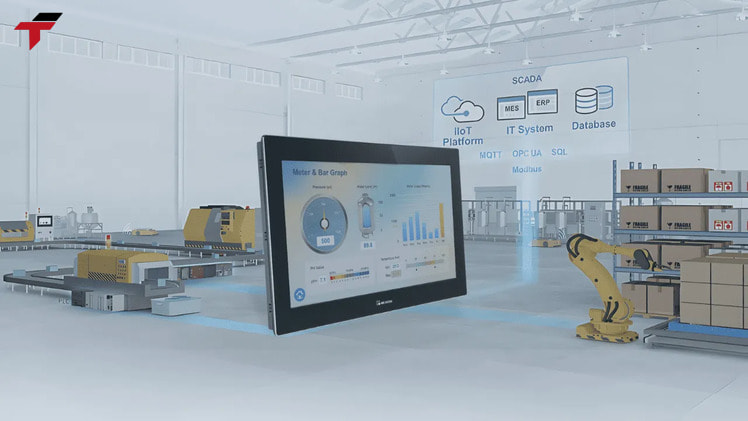
A SCADA system works by moving data up through a chain of layers and moving commands back down through the same chain. A field device — a temperature sensor, a flow meter, a limit switch — produces a signal. An RTU or PLC nearby converts that signal into digital data and, in many cases, acts on it immediately with its own local logic. That same RTU or PLC then reports its status to the SCADA system over a communication network. The SCADA server collects, timestamps, and stores that data, then displays it to an operator through a human-machine interface (HMI).
The value of this chain shows up when something goes wrong. If a batch of product starts showing a high error rate, the SCADA system flags the anomaly to the operator immediately rather than waiting for someone to notice it on the floor. The operator reviews the data through the HMI, traces the issue to a specific machine, and pauses the operation before more product is affected. That’s the practical purpose of the supervisory layer: turning scattered field-level data into a decision an operator can act on in time to matter.
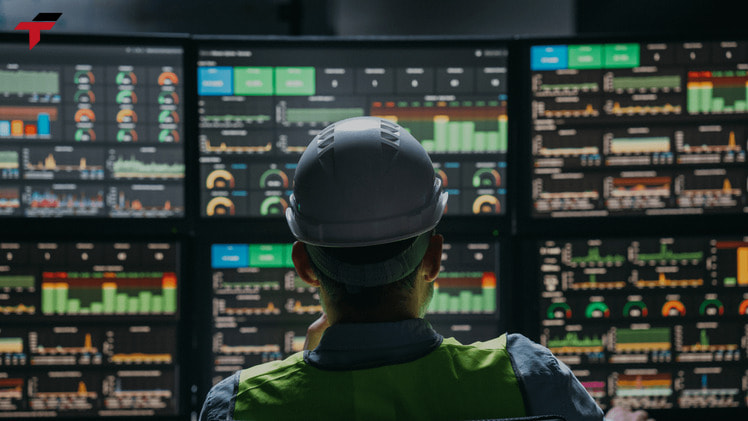
How a SCADA System Works
SCADA Architecture: From Field Devices to the Supervisory Layer
SCADA architecture is layered, and each layer has a distinct job:
- Field devices— sensors and actuators that measure or act on the physical process (temperature, pressure, flow, position).
- RTU or PLC— the field controller that converts sensor signals into digital data and runs local control logic.
- Communication network— carries data from the field controllers up to the supervisory computer, and commands back down.
- SCADA server / historian— collects, processes, and stores data from every connected RTU and PLC across the site or across multiple sites.
- HMI— the operator-facing screen where the collected data is displayed and where supervisory commands are issued.
Of these five layers, Flextech Industrial supplies the hardware for two: the RTU/PLC controllers at the field-control layer, and the HMI at the operator-interface layer. The SCADA server and historian software sit above that hardware as a separate software layer, typically specified and licensed independently of the field controllers underneath it.
Remote Terminal Units (RTU) in SCADA
A Remote Terminal Unit (RTU) is the field-level controller that connects directly to sensors and actuators, converts their electrical signals into digital data, performs limited local preprocessing, and transmits that data to the central SCADA system over a LAN or WAN link. Functionally, an RTU sits at the same architecture tier as a PLC — both convert field signals into a form the supervisory layer can consume, and both can run simple local logic without involving the SCADA server at all.
What usually decides between an RTU and a PLC is distance, not capability. A single building with dense, interconnected machinery — a packaging line, a semiconductor back-end cell — typically standardizes on PLCs, because the equipment favors a PLC’s programming environment for complex sequencing. A geographically distributed asset — a remote pumping station, an unmanned substation, a valve site kilometers from the nearest control room — typically standardizes on RTUs, because the RTU’s traditional strength is long-distance telemetry over radio, cellular, or satellite links where a hardwired PLC network isn’t practical.
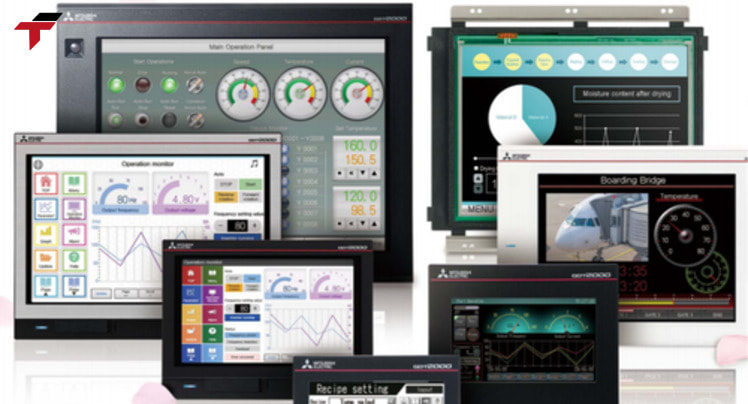
Remote Terminal Units (RTU) in SCADA
Programmable Logic Controllers (PLC) in SCADA
Inside a SCADA architecture, the PLC is the field controller most often chosen where dense, complex programmed logic and automation sequencing are required at a single site. A PLC executes control logic locally and reports status upward to the SCADA server, the same way an RTU does — SCADA does not change how a PLC operates; it only adds a supervisory view on top of it. A more detailed breakdown of PLC hardware and programming appears in Flextech’s PLC Malaysia resources.
Components of a SCADA System
A SCADA system is built from a consistent set of components across every implementation:
| Component | Role |
| Sensors and field devices | Measure physical variables — temperature, pressure, flow, level, position |
| RTU / PLC controllers | Convert field signals to digital data, run local control logic |
| Communication network | Carries data and commands between field controllers and the SCADA server |
| SCADA server / historian database | Collects, processes, and stores data for trending, alarms, and reporting |
| Human-machine interface (HMI) | Displays real-time and historical data, accepts operator commands |
The HMI is the component operators interact with directly, and it’s the same category of hardware covered in Flextech’s HMI Malaysia range — a SCADA deployment’s operator screen and a stand-alone machine’s local HMI panel are built on the same underlying technology, just scoped differently.
Recap: SCADA Architecture and Components So Far
This recap ties together how SCADA is structured before moving into software and applications. SCADA is a layered architecture: field devices report to an RTU or PLC, which reports over a communication network to a SCADA server/historian, which presents data to an operator through an HMI. RTUs suit geographically distributed field sites; PLCs suit dense, single-site control — both sit at the same field-controller tier. The five components — sensors/field devices, RTU/PLC, communication network, SCADA server, and HMI — appear in every SCADA deployment regardless of industry or scale. The next sections cover the software that runs on the SCADA server and where this architecture applies across Malaysian and global industries.
SCADA Software: Ignition, WinCC, and Other Platforms
The SCADA server layer runs on dedicated SCADA software — the platform that processes and displays the data collected from field controllers. Two platforms that come up repeatedly in SCADA research: Ignition, from Inductive Automation, and WinCC, Siemens’ SCADA/visualization software. Both are established HMI/SCADA software packages used across industrial sites, though licensing models, deployment methods, and vendor ecosystems differ between platforms and between vendors generally — a specific vendor’s installation-base or licensing figures describe that vendor’s product, not the SCADA software category as a whole.
SCADA Software: Ignition, WinCC, and Other Platforms
Benefits of a SCADA Monitoring System
A SCADA monitoring system provides an operations team several concrete advantages over machine-by-machine, walk-the-floor monitoring. These include:
- Remote control— devices and facilities can be operated from a distance, reducing travel and response time
- Real-time monitoring— instant visibility into machine and process status, so issues surface before they escalate
- Safety and alarms— automatic alerts for abnormal conditions, protecting both equipment and staff
- Data logging and analysis— historical data supports predictive maintenance, audits, and trend analysis
- Downtime reduction— faster detection and resolution of technical issues across the monitored system
Benefits of a SCADA Monitoring System
Where SCADA Fits: SCADA vs PLC vs HMI in a Plant
Where SCADA fits becomes clear once PLC and HMI are placed on the same diagram: all three occupy different scopes in the same control stack, and most plants run all three together:
- PLC— local, real-time control of a single machine or process. A PLC’s control loop has to execute in milliseconds, which is a job a plant-wide supervisory system isn’t built to do at that speed or reliability.
- HMI— the local operator interface for one machine or one control station, showing what that specific piece of equipment is doing.
- SCADA— the plant-wide or multi-site supervisory layer that aggregates data from many PLCs, RTUs, and HMIs into one operator view, without taking over any of their local control functions.
The scope difference is why SCADA doesn’t replace the PLC layer underneath it: a PLC still makes the immediate control decision on the plant floor exactly as it would without SCADA present. SCADA’s job only starts after that decision is already made — it collects what happened, so an operator managing the whole site doesn’t need a screen wired to every individual PLC to see the full picture. This is also why Flextech’s PLC Malaysia and HMI Malaysia ranges remain the hardware layer a SCADA deployment is built on top of, not hardware a SCADA system replaces.
SCADA System Applications: Malaysia and Global Industries
SCADA system applications span industries where processes are large-scale, geographically distributed, or safety-critical: energy and utilities, water and wastewater treatment, manufacturing, transportation, and oil and gas — where SCADA systems detect leaks, automate emergency shutdowns on pipelines, and monitor refinery production processes. What these industries share is that no single control panel can see the whole system; a pipeline or a water network spans distance no PLC alone can cover, which is exactly the gap SCADA’s supervisory layer closes.
For Malaysian manufacturing, the same logic applies at a different scale. Semiconductor back-end processes in Penang and Selangor, palm oil processing lines, and food and beverage plants each run continuous or high-uptime processes across multiple machines or stations — the kind of multi-asset environment where a supervisory layer adds value beyond what any single PLC already provides locally. Whether a given site needs full SCADA supervision or is well served by PLC-and-HMI control alone depends on how many machines, lines, or sites need a combined view — not on industry alone.
Frequently Asked Questions About SCADA Systems
These five questions cover the SCADA acronym, how SCADA differs from a PLC and from ICS generally, the role of the RTU, and the core components every SCADA deployment shares.
What does SCADA stand for?
SCADA stands for Supervisory Control and Data Acquisition, a control system architecture combining software and hardware to monitor and control industrial processes from a centralized supervisory layer.
SCADA vs a PLC: what is the difference?
The difference between SCADA and a PLC is scope: a PLC is hardware built for real-time control of one machine or process, while SCADA is the software-and-hardware layer that supervises many PLCs (and RTUs) across a site or multiple sites, aggregating their data for centralized monitoring and decision-making — SCADA sits above PLC control, it doesn’t replace it.
What is an RTU in a SCADA system?
An RTU in a SCADA system is the field-level controller — a Remote Terminal Unit — that connects to sensors and actuators, converts their signals into digital data, and transmits that data to the central SCADA system over a LAN or WAN link. An RTU is typically chosen over a PLC for geographically distributed sites, where long-distance telemetry matters more than dense local logic.
What are the main components of a SCADA system?
The main components of a SCADA system are field sensors and actuators, RTU or PLC controllers, a communication network, a SCADA server/historian database, and a human-machine interface (HMI) that displays data and accepts operator commands.
Is SCADA the same as ICS (industrial control system)?
SCADA is not the same as ICS — industrial control system (ICS) is the broader umbrella term covering SCADA, distributed control systems (DCS), and stand-alone PLC installations. SCADA is specifically the ICS category built around centralized supervisory monitoring and control of field devices, which may be spread across a wide area.